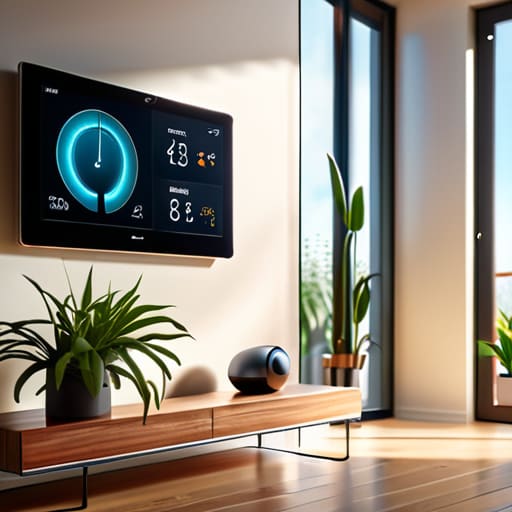
I remember sitting in my old rental apartment, shivering through a February frost because my radiator was fighting a losing battle against a drafty window. I spent half my paycheck just trying to stay warm, and back then, the idea of “smart tech” felt like a luxury for people with more money than sense. Most people will tell you that you need a massive, expensive ecosystem to actually see a difference, but honestly? That’s just marketing fluff. You don’t need a house full of blinking gadgets to be efficient; you just need smart home hubs that actually talk to each other and work for your specific budget.
I’m not here to sell you on a futuristic lifestyle that costs a fortune. My goal is to cut through the technical jargon and show you which setups actually move the needle on your utility bills. I’ll be sharing the no-nonsense truth about which controllers are worth your time and which ones are just expensive paperweights. We’re going to focus on practical, data-driven ways to automate your energy savings so you can stop leaking cash and start living more sustainably without breaking the bank.
Table of Contents
- Mastering Iot Device Connectivity Solutions Without Breaking the Bank
- Choosing Local vs Cloud Processing Hubs to Protect Your Wallet
- 5 Ways to Make Your Hub Work Harder (Without Working Harder)
- The Bottom Line on Smart Hubs
- The Real Purpose of a Hub
- Cutting the Cord on Energy Waste
- Frequently Asked Questions
Mastering Iot Device Connectivity Solutions Without Breaking the Bank
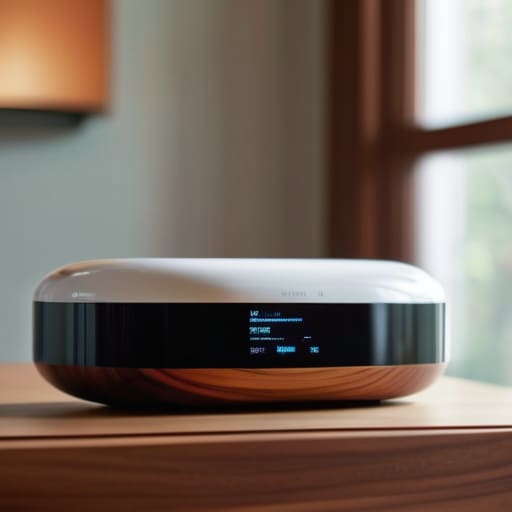
When I first started auditing homes, I noticed a recurring pattern: people buy a bunch of gadgets that don’t actually talk to each other. You end up with five different apps just to manage your lights and thermostat, which is the opposite of efficient. To avoid this mess, you need to prioritize smart home ecosystem interoperability. Instead of chasing every shiny new gadget, look for devices that play well together from the jump. This prevents you from wasting money on hardware that ends up sitting in a drawer because it won’t connect to your existing setup.
If you’re looking to scale up without a massive upfront investment, pay close attention to matter and thread protocol compatibility. These aren’t just tech buzzwords; they are the keys to making sure your devices stay connected reliably without needing a dozen different bridges. I always tell my clients to look for gear that supports these standards because it future-proofs your home. It’s much cheaper to buy one compatible device today than to replace an entire ecosystem of “dumb” smart tech two years from now when nothing syncs anymore.
Choosing Local vs Cloud Processing Hubs to Protect Your Wallet
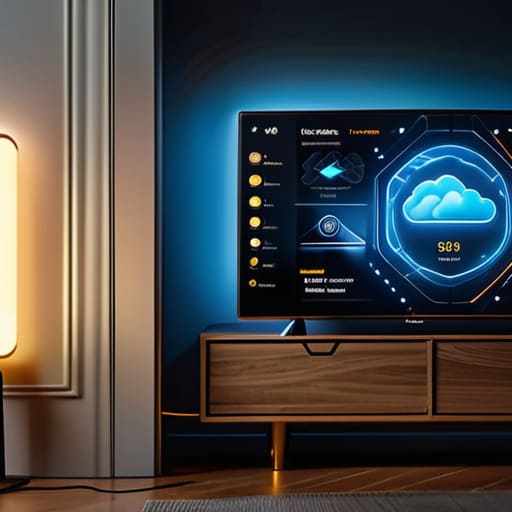
When you’re looking at different setups, you’ll quickly realize the big debate is between local vs cloud processing hubs. Most people default to cloud-based systems because they’re easy to set up, but there’s a hidden cost to that convenience. When your commands have to travel to a server halfway across the world and back just to turn off a light, you’re dealing with latency and a constant reliance on an internet connection. If your Wi-Fi drops, your entire “smart” home becomes a collection of expensive paperweights.
I always lean toward a centralized home automation controller that handles everything locally. Not only is it faster, but it’s also more resilient. If you want to truly future-proof your setup, you should prioritize matter and thread protocol compatibility. This ensures that your devices can talk to each other directly without needing to ping a manufacturer’s server every five seconds. By keeping the processing inside your own four walls, you aren’t just gaining speed and privacy; you’re building a more stable, efficient system that won’t leave you in the dark just because your ISP is having a bad day.
5 Ways to Make Your Hub Work Harder (Without Working Harder)
- Prioritize Matter and Thread compatibility. I’ve seen too many people buy a hub that locks them into one ecosystem, only to realize later they can’t add the cheap, energy-efficient sensors they actually need. Look for hardware that plays well with others so you aren’t stuck replacing everything in two years.
- Automate based on occupancy, not just schedules. A timer is fine, but a hub connected to motion or door sensors is better. There’s no point in heating a room that nobody is using just because it’s 6:00 PM; let the hub kill the power the second you walk out the door.
- Use your hub to create “Energy Scenes.” Instead of manually turning things off, program a “Leaving Home” button or automation that shuts down non-essential smart plugs and dims the lights all at once. It’s one tap to stop the bleed.
- Keep an eye on your hub’s “vampire load.” It sounds small, but a hub that stays constantly pinging a dozen high-draw devices can add up. I always check if my hub is managing device sleep cycles effectively to ensure the whole system isn’t just adding to the baseline power draw.
- Don’t overcomplicate the dashboard. If your hub’s interface is a mess, you won’t use it. Keep your most important energy-saving controls—like your thermostat and smart blinds—front and center so you can make quick adjustments when you notice a temperature spike.
The Bottom Line on Smart Hubs
Don’t get distracted by flashy, expensive ecosystems; focus on hubs that prioritize local processing to save on subscription fees and keep your data secure.
Prioritize interoperability so you aren’t forced into a single brand’s expensive loop, allowing you to add cheap, efficient sensors as your budget allows.
Treat your smart hub as an investment in efficiency, not just a gadget, by using it to automate the heavy hitters like heating and lighting.
The Real Purpose of a Hub
“A smart hub shouldn’t just be another expensive gadget on your shelf; it’s the brain of your home that ensures you aren’t burning money just to keep the lights on.”
Tobias Nkemdirim
Cutting the Cord on Energy Waste
At the end of the day, picking a smart home hub isn’t about buying the most expensive gadget on the shelf; it’s about finding the right tool to manage your environment. We’ve looked at how you can bridge different IoT devices without a massive upfront investment and why choosing local processing can actually save you money in the long run by keeping your data secure and your latency low. Whether you go with a cloud-based setup for convenience or a local hub for more control, the goal remains the same: stopping the invisible leaks in your energy usage. If you focus on connectivity that actually works for your specific space, you aren’t just playing with tech—you’re building a more efficient home.
I know that looking at a list of smart devices can feel overwhelming, especially when you’re trying to stick to a budget. But remember, you don’t have to automate your entire house overnight to see a difference. Start small, pick one area where you notice the most waste, and let a smart hub do the heavy lifting for you. Sustainability shouldn’t be a luxury reserved for people with huge bank accounts; it’s about making smart, intentional choices with what we have. Let’s stop letting our hard-earned money vanish into thin air through inefficient habits and start taking control of our footprint, one device at a time.
Frequently Asked Questions
Will adding a smart hub actually lower my monthly utility bill, or is it just another gadget to manage?
It’s a fair question. If you just buy a hub and let it sit there, it’s just another expensive paperweight. But if you use it to automate your heavy hitters—like scheduling your thermostat to drop when you’re at work or ensuring lights aren’t running in empty rooms—it pays for itself. I don’t look at hubs as gadgets; I look at them as the brains that stop your home from bleeding energy while you aren’t paying attention.
Do I need to replace all my old devices to work with a new hub, or can I integrate what I already have?
You definitely don’t need to scrap everything and start from scratch. That’s exactly how you end up wasting money. Most modern hubs are designed to be “polyglot”—they speak multiple languages like Zigbee, Z-Wave, or even just standard Wi-Fi. Before you buy anything new, check your existing gear’s compatibility. I always tell my clients: if it still works and it’s connected, find a way to bridge it into your new system instead of tossing it.
How much extra electricity does the hub itself consume by being plugged in 24/7?
It’s a fair question. I’ve actually run the numbers on a few setups during my audits. Most smart hubs are incredibly low-draw, usually pulling between 2 to 5 watts. Even running 24/7, you’re looking at maybe $5 to $10 extra on your annual electricity bill. Honestly, the tiny cost of keeping the hub alive is a drop in the bucket compared to the massive savings you get from the automation it manages.
